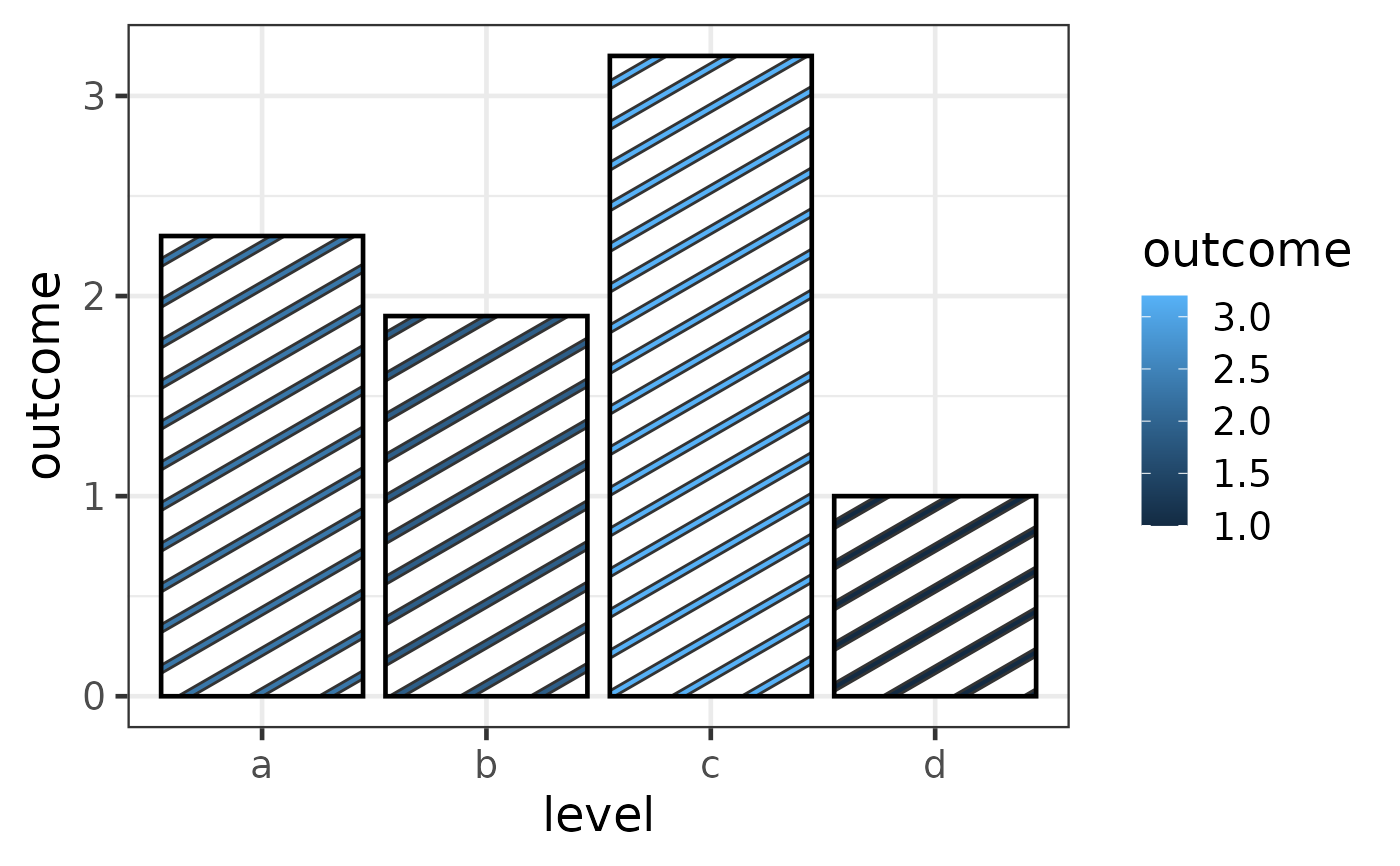
See ggplot2::scale_colour_gradient() for more information
Usage
scale_pattern_colour_gradient(
  ...,
  low = "#132B43",
  high = "#56B1F7",
  space = "Lab",
  na.value = "grey50",
  guide = guide_colourbar(available_aes = "pattern_colour"),
  aesthetics = "pattern_colour"
)

scale_pattern_fill_gradient(
  ...,
  low = "#132B43",
  high = "#56B1F7",
  space = "Lab",
  na.value = "grey50",
  guide = guide_colourbar(available_aes = "pattern_fill"),
  aesthetics = "pattern_fill"
)

scale_pattern_fill2_gradient(
  ...,
  low = "#132B43",
  high = "#56B1F7",
  space = "Lab",
  na.value = "grey50",
  guide = guide_colourbar(available_aes = "pattern_fill2"),
  aesthetics = "pattern_fill2"
)

scale_pattern_colour_gradient2(
  ...,
  low = muted("red"),
  mid = "white",
  high = muted("blue"),
  midpoint = 0,
  space = "Lab",
  na.value = "grey50",
  guide = guide_colourbar(available_aes = "pattern_colour"),
  aesthetics = "pattern_colour"
)

scale_pattern_fill_gradient2(
  ...,
  low = muted("red"),
  mid = "white",
  high = muted("blue"),
  midpoint = 0,
  space = "Lab",
  na.value = "grey50",
  guide = guide_colourbar(available_aes = "pattern_fill"),
  aesthetics = "pattern_fill"
)

scale_pattern_fill2_gradient2(
  ...,
  low = muted("red"),
  mid = "white",
  high = muted("blue"),
  midpoint = 0,
  space = "Lab",
  na.value = "grey50",
  guide = guide_colourbar(available_aes = "pattern_fill2"),
  aesthetics = "pattern_fill2"
)

scale_pattern_colour_gradientn(
  ...,
  colours,
  values = NULL,
  space = "Lab",
  na.value = "grey50",
  guide = guide_colourbar(available_aes = "pattern_colour"),
  aesthetics = "pattern_colour",
  colors
)

scale_pattern_fill_gradientn(
  ...,
  colours,
  values = NULL,
  space = "Lab",
  na.value = "grey50",
  guide = guide_colourbar(available_aes = "pattern_fill"),
  aesthetics = "pattern_fill",
  colors
)

scale_pattern_fill2_gradientn(
  ...,
  colours,
  values = NULL,
  space = "Lab",
  na.value = "grey50",
  guide = guide_colourbar(available_aes = "pattern_fill2"),
  aesthetics = "pattern_fill2",
  colors
)
Arguments
- low, high
Colours for low and high ends of the gradient.
- space, ..., na.value, aesthetics
See
scales::seq_gradient_pal,scale_colour_hue,ggplot2::continuous_scale- guide
Type of legend. Use
"colourbar"for continuous colour bar, or"legend"for discrete colour legend.- mid
colour for mid point
- midpoint
The midpoint (in data value) of the diverging scale. Defaults to 0.
- colours, colors
Vector of colours to use for n-colour gradient.
- values
if colours should not be evenly positioned along the gradient this vector gives the position (between 0 and 1) for each colour in the
coloursvector. Seerescale()for a convenience function to map an arbitrary range to between 0 and 1.
Value
A ggplot2::Scale object.
Details
scale_*_gradient creates a two colour gradient (low-high),
scale_*_gradient2 creates a diverging colour gradient (low-mid-high),
scale_*_gradientn creates a n-colour gradient.
Examples
  if (require("ggplot2")) {
    df <- data.frame(level = c("a", "b", "c", "d"),
                     outcome = c(2.3, 1.9, 3.2, 1))
    gg <- ggplot(df) +
      geom_col_pattern(
        aes(level, outcome, pattern_fill = outcome),
        pattern = 'stripe',
        fill    = 'white',
        colour  = 'black'
      ) +
      theme_bw(18) +
      scale_pattern_fill_gradient()
    plot(gg)
  }