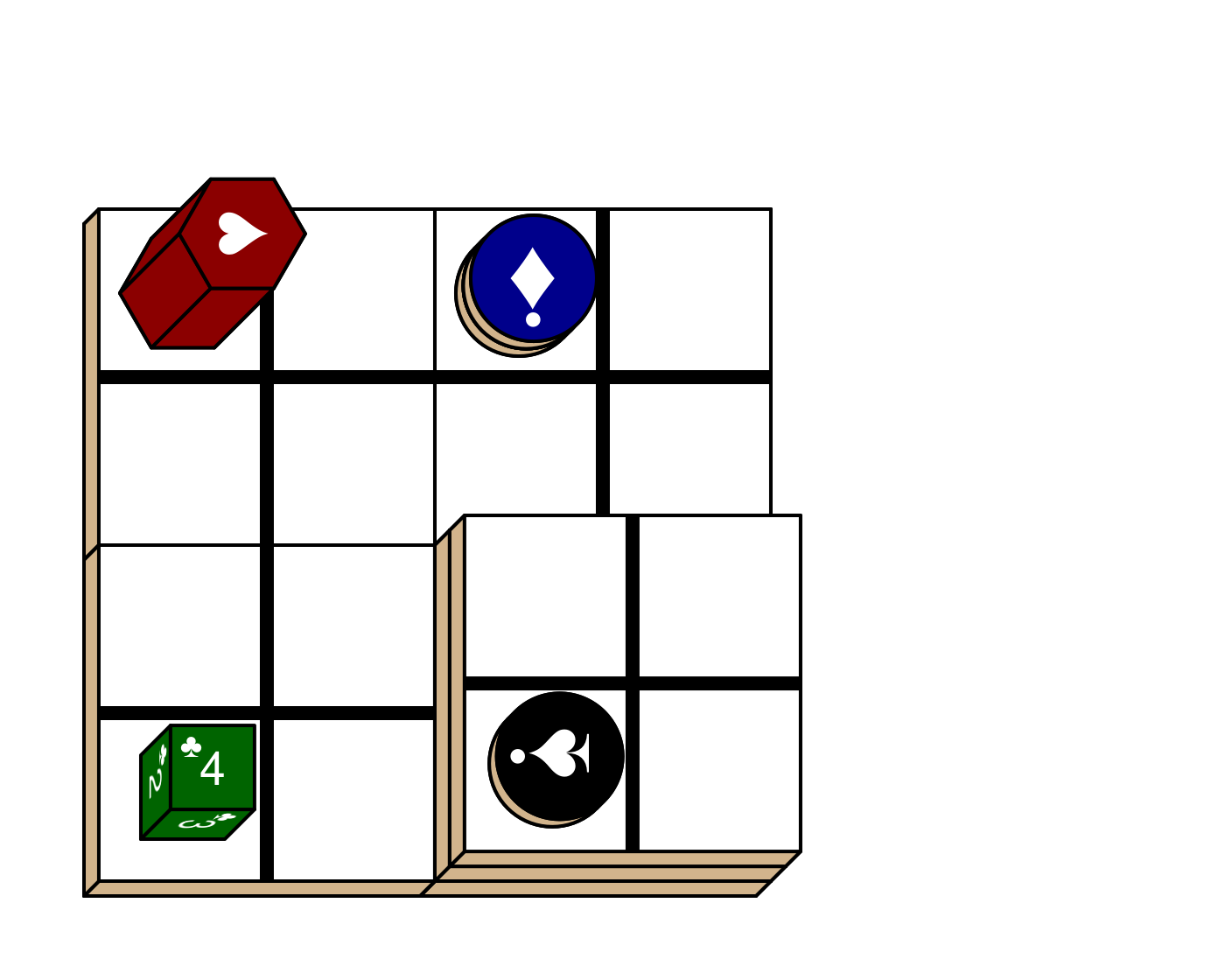
grid.piece() draws board game pieces onto the graphics device.
pieceGrob() is its grid “grob” counterpart.
Usage
pieceGrob(
  piece_side = "tile_back",
  suit = NA,
  rank = NA,
  cfg = getOption("piecepackr.cfg", pp_cfg()),
  x = unit(0.5, "npc"),
  y = unit(0.5, "npc"),
  z = NA,
  angle = 0,
  ...,
  width = NA,
  height = NA,
  depth = NA,
  op_scale = getOption("piecepackr.op_scale", 0),
  op_angle = getOption("piecepackr.op_angle", 45),
  default.units = getOption("piecepackr.default.units", "npc"),
  envir = getOption("piecepackr.envir"),
  name = NULL,
  gp = NULL,
  vp = NULL,
  scale = 1,
  alpha = 1,
  type = "normal",
  bleed = FALSE
)

grid.piece(
  piece_side = "tile_back",
  suit = NA,
  rank = NA,
  cfg = getOption("piecepackr.cfg", pp_cfg()),
  x = unit(0.5, "npc"),
  y = unit(0.5, "npc"),
  z = NA,
  angle = 0,
  ...,
  width = NA,
  height = NA,
  depth = NA,
  op_scale = getOption("piecepackr.op_scale", 0),
  op_angle = getOption("piecepackr.op_angle", 45),
  default.units = getOption("piecepackr.default.units", "npc"),
  envir = getOption("piecepackr.envir"),
  name = NULL,
  gp = NULL,
  draw = TRUE,
  vp = NULL,
  scale = 1,
  alpha = 1,
  type = "normal",
  bleed = FALSE
)
Arguments
- piece_side
A string with piece and side separated by a underscore e.g. "coin_face"
- suit
Number of suit (starting from 1).
- rank
Number of rank (starting from 1)
- cfg
Piecepack configuration list or
pp_cfgobject, a list ofpp_cfgobjects, or a character vector referring to names inenviror a character vector referring to object names that can be retrieved bybase::dynGet().- x
Where to place piece on x axis of viewport
- y
Where to place piece on y axis of viewport
- z
z-coordinate of the piece. Has no effect if
op_scaleis0.- angle
Angle (on xy plane) to draw piece at
- ...
Ignored.
- width
Width of piece
- height
Height of piece
- depth
Depth (thickness) of piece. Has no effect if
op_scaleis0.- op_scale
How much to scale the depth of the piece in the oblique projection (viewed from the top of the board).
0(the default) leads to an “orthographic” projection,0.5is the most common scale used in the “cabinet” projection, and1.0is the scale used in the “cavalier” projection.- op_angle
What is the angle of the oblique projection? Has no effect if
op_scaleis0.- default.units
A string indicating the default units to use if 'x', 'y', 'width', and/or 'height' are only given as numeric vectors.
- envir
Environment (or named list) containing configuration list(s).
- name
A character identifier (for grid)
- gp
An object of class “gpar”.
- vp
A
gridviewport object (orNULL).- scale
Multiplicative scaling factor to apply to width, height, and depth.
- alpha
Alpha channel for transparency.
- type
Type of grid grob to use. Either
"normal"(default),"picture","raster", or"transformation"."picture"exports to (temporary) svg and re-imports as agrImport2::pictureGrob()."raster"exports to (temporary) png and re-imports as agrid::rasterGrob()."transformation"uses the affine transformation feature only supported in R 4.2+ within select graphic devices. The latter three can be useful if drawing pieces really big or small and don't want to mess with re-configuring fontsizes and linewidths.- bleed
If
FALSEdo not add a “bleed” zone around the piece, otherwise add a “bleed” zone around the piece:If
bleedisTRUEwe will add 1/8 inch bleedsIf
bleedis agrid::unit()we will use it as bleed sizeIf
bleedis numeric we will convert togrid::unit()viagrid::unit(bleed, default.units)
A non-
FALSEbleedis incompatible withop_scale > 0(drawing in an “oblique projection”).- draw
A logical value indicating whether graphics output should be produced.
Value
A grid grob object. If draw is TRUE then as a side effect
grid.piece() will also draw it to the graphics device.
See also
pmap_piece() which applies pieceGrob() over rows of a data frame.
Examples
if (requireNamespace("grid", quietly = TRUE) && piecepackr:::device_supports_unicode()) {
opt <- options(piecepackr.at.inform = FALSE)
draw_pp_diagram <- function(cfg=pp_cfg(), op_scale=0) {
g.p <- function(...) {
grid.piece(..., op_scale=op_scale, cfg=cfg, default.units="in")
}
g.p("tile_back", x=0.5+c(3,1,3,1), y=0.5+c(3,3,1,1))
g.p("tile_back", x=0.5+3, y=0.5+1, z=1/4+1/8)
g.p("tile_back", x=0.5+3, y=0.5+1, z=2/4+1/8)
g.p("die_face", suit=3, rank=5, x=1, y=1, z=1/4+1/4)
g.p("pawn_face", x=1, y=4, z=1/4+1/2, angle=90)
g.p("coin_back", x=3, y=4, z=1/4+1/16, angle=180)
g.p("coin_back", suit=4, x=3, y=4, z=1/4+1/8+1/16, angle=180)
g.p("coin_back", suit=2, x=3, y=1, z=3/4+1/8, angle=90)
}
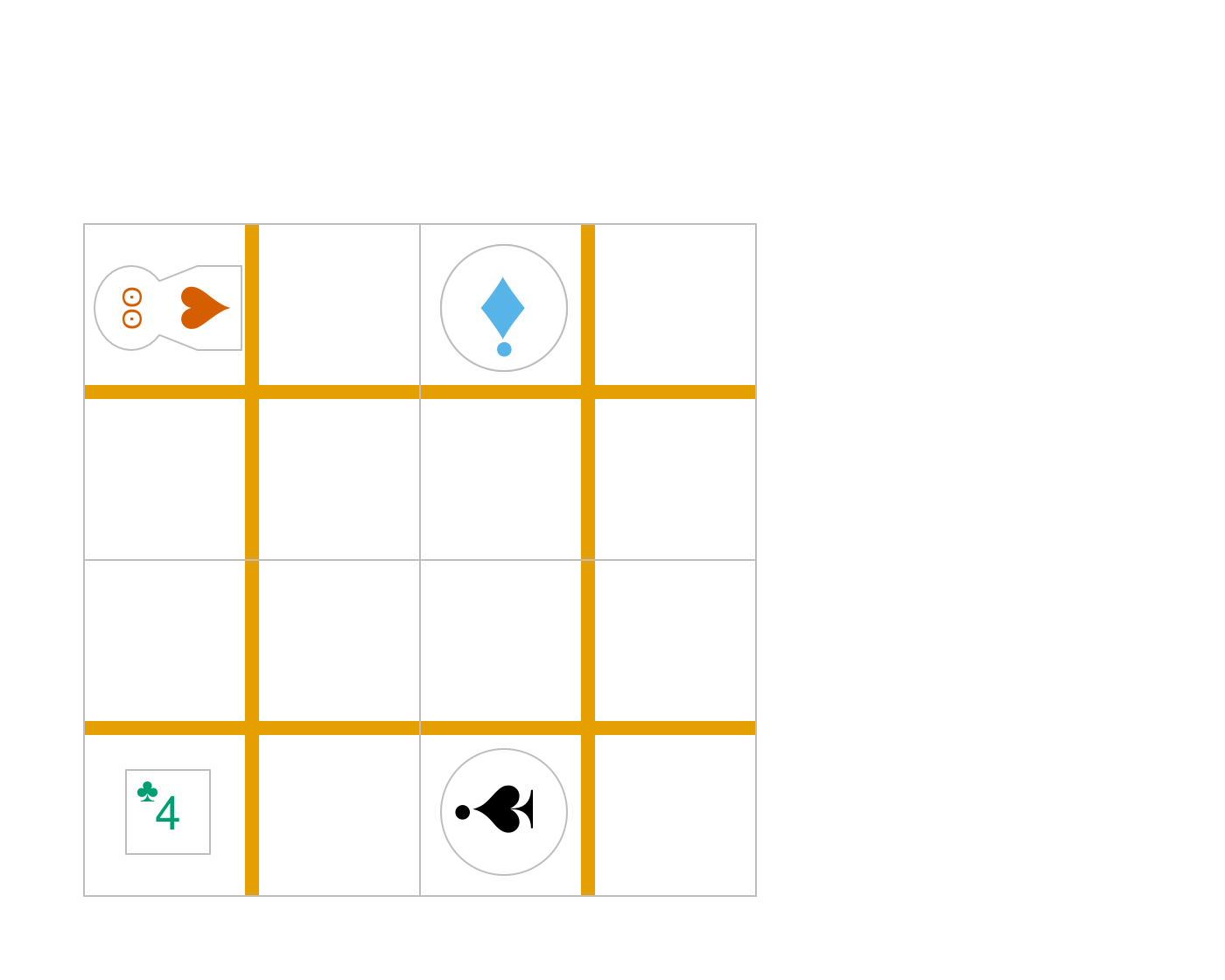
# default piecepack, orthogonal projection
draw_pp_diagram(cfg=pp_cfg())
options(opt) # Reset options
}
 if (requireNamespace("grid", quietly = TRUE) && piecepackr:::device_supports_unicode()) {
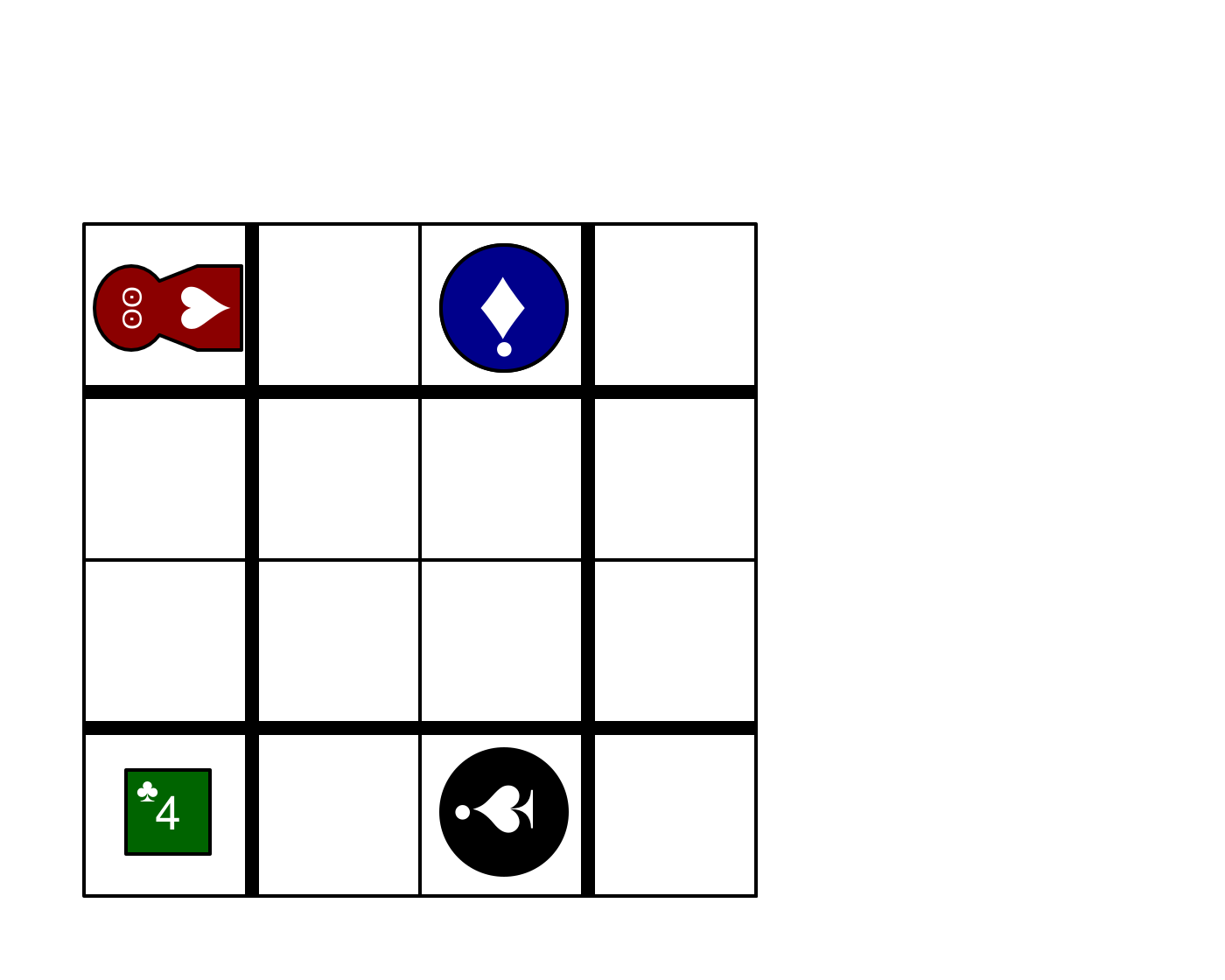
# custom configuration, orthogonal projection
grid::grid.newpage()
dark_colorscheme <- list(suit_color="darkred,black,darkgreen,darkblue,black",
invert_colors.suited=TRUE, border_color="black", border_lex=2)
traditional_ranks <- list(use_suit_as_ace=TRUE, rank_text=",a,2,3,4,5")
cfg <- c(dark_colorscheme, traditional_ranks)
draw_pp_diagram(cfg=pp_cfg(cfg))
}
if (requireNamespace("grid", quietly = TRUE) && piecepackr:::device_supports_unicode()) {
# custom configuration, orthogonal projection
grid::grid.newpage()
dark_colorscheme <- list(suit_color="darkred,black,darkgreen,darkblue,black",
invert_colors.suited=TRUE, border_color="black", border_lex=2)
traditional_ranks <- list(use_suit_as_ace=TRUE, rank_text=",a,2,3,4,5")
cfg <- c(dark_colorscheme, traditional_ranks)
draw_pp_diagram(cfg=pp_cfg(cfg))
}
 if (requireNamespace("grid", quietly = TRUE) && piecepackr:::device_supports_unicode()) {
# custom configuration, oblique projection
grid::grid.newpage()
cfg3d <- list(width.pawn=0.75, height.pawn=0.75, depth.pawn=1,
dm_text.pawn="", shape.pawn="convex6", invert_colors.pawn=TRUE,
edge_color.coin="tan", edge_color.tile="tan")
cfg <- pp_cfg(c(cfg, cfg3d))
draw_pp_diagram(cfg=pp_cfg(cfg), op_scale=0.5)
}
if (requireNamespace("grid", quietly = TRUE) && piecepackr:::device_supports_unicode()) {
# custom configuration, oblique projection
grid::grid.newpage()
cfg3d <- list(width.pawn=0.75, height.pawn=0.75, depth.pawn=1,
dm_text.pawn="", shape.pawn="convex6", invert_colors.pawn=TRUE,
edge_color.coin="tan", edge_color.tile="tan")
cfg <- pp_cfg(c(cfg, cfg3d))
draw_pp_diagram(cfg=pp_cfg(cfg), op_scale=0.5)
}