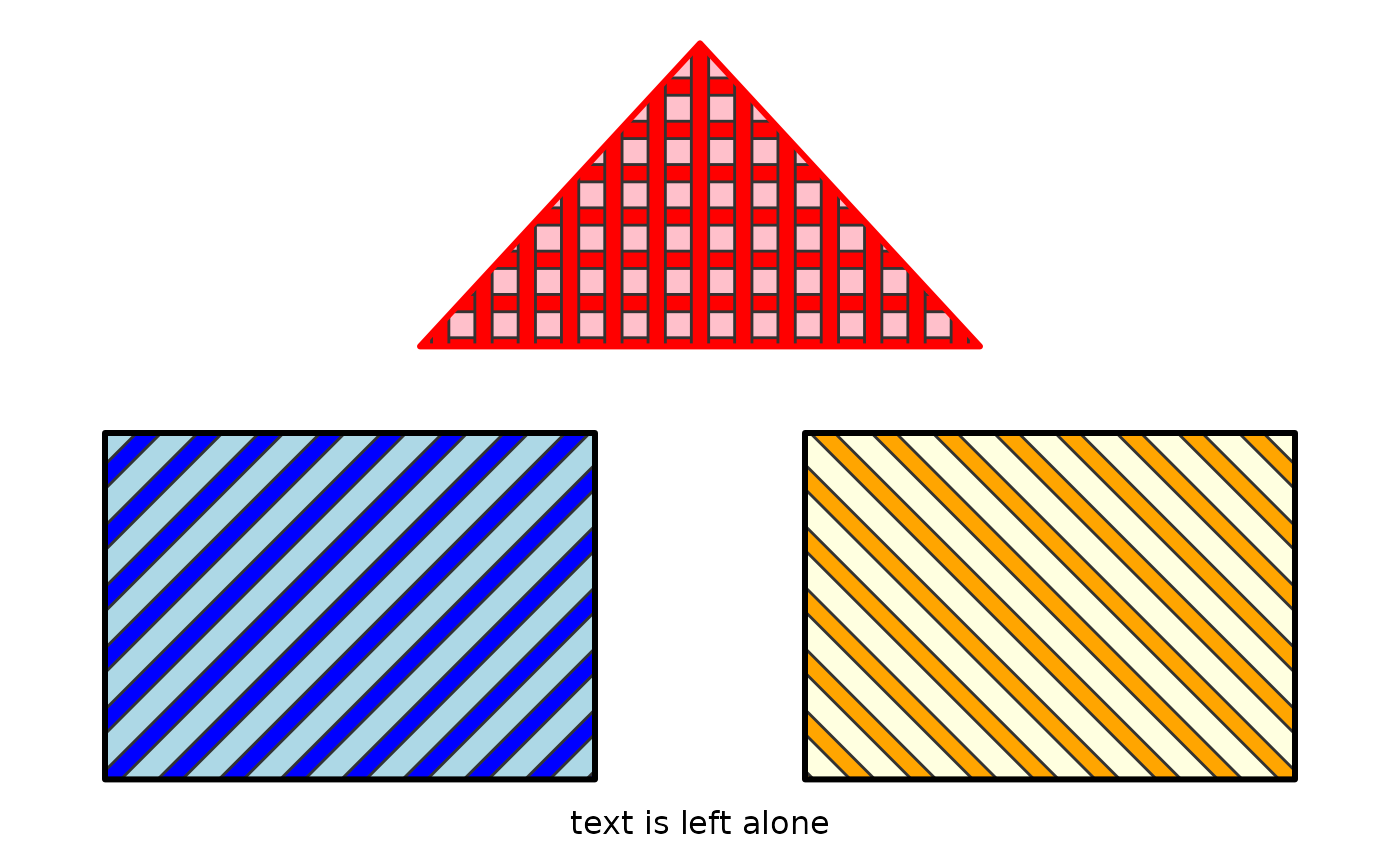
with_pattern() returns a modified version of its input with each area it paints with a fill also filled with a pattern.
Usage
with_pattern(x, ...)

# S3 method for class 'gTree'
with_pattern(
  x,
  ...,
  pool = FALSE,
  layers = c("area", "grob"),
  delay = FALSE,
  leaves = c("polygon", "pathgrob", "rect", "circle", "roundrect", "xspline",
    "GridFillStroke", "GridFill"),
  legend = FALSE,
  prefix = "pattern_"
)

# S3 method for class 'gList'
with_pattern(
  x,
  ...,
  pool = FALSE,
  layers = c("area", "grob"),
  delay = FALSE,
  leaves = c("polygon", "pathgrob", "rect", "circle", "roundrect", "xspline",
    "GridFillStroke", "GridFill"),
  legend = FALSE,
  prefix = "pattern_"
)

# S3 method for class 'grob'
with_pattern(
  x,
  ...,
  pool = FALSE,
  layers = c("area", "grob"),
  delay = FALSE,
  legend = FALSE,
  prefix = "pattern_"
)

# S3 method for class 'list'
with_pattern(x, ...)

# S3 method for class '`NULL`'
with_pattern(x, ...)
Arguments
- x
An object with filled areas such as a grid grob, a
grid::gList(), or a list of such objects.- ...
<
dynamic-dots> Thepatternname ("stripe"by default, seepatternGrob();NAleaves an area as it is) and the pattern parameters, each either of length one (for every area) or with one value per area ofx(in the order ofarea_boundaries(x)) or perpool(one per grob forpool = TRUEor in the order ofunique(pool)). A list or data frame of them can be spliced in with!!!e.g.with_pattern(x, !!!params). A multi-valued parameter of a single area must be wrapped in a list (e.g.fill = list(c("red", "blue"))for alternating stripes) while agrid::pattern()fill counts as one value.patternGrob()'sy,id,name,gp,vp,boundary,default.units, anddrawcan't be given: each area's pattern grob takes its boundary, name, graphical parameters, and viewport from its area.- pool
Which areas of
xare filled by the same pattern:FALSE(each area by its own),TRUE(all the areas of each grob together), or one (non-logical) label per area (in the order ofarea_boundaries(x)) pooling the areas with the same label, which must be areas of the same grob.- layers
Either
"area"to draw the fill, pattern, and border of each area in turn or"grob"to draw the fills of all the areas of a grob, then their patterns, then their borders.- delay
If
TRUEthe areas ofxare filled when it is drawn (after forcing it withgrid::forceGrob()) rather than now and the result is agTree(of class"delayed_pattern") drawing them: for a grob which only builds its shapes when drawn.- leaves
The classes of the (non-
gTree) grobs within agTreeorgListwhich may have areas (passed toarea_boundaries()).- legend
Passed to
patternGrob()(e.g. the numeric zoom of a legend key).- prefix
Passed to
patternGrob(): the prefix prepended to the names of the pattern parameters in...(e.g.prefix = ""for parameters already namedpattern_*).
Value
For a grid grob a grid::gTree() (or a grid::gList() if x is one)
unless x has no fillable areas in which case x is returned unchanged
(with delay = TRUE always a gTree).
For a list a list of the same length (and names) of the patterned elements.
Details
with_pattern() returns a modified version of the object x with each area it paints with its fill (see area_boundaries()) also filled with a pattern.
This package provides its methods for grid grobs and (plain) lists of objects
(another package may add a method for its own class of object).
A list is returned with each of its elements patterned separately by with_pattern()
(with the same arguments) so each must have a with_pattern() method of its own
(NULL, which e.g. a list of {ggplot2} components may contain, is returned as it is).
Each grob with such areas (by default a grid::polygonGrob(), grid::rectGrob(), grid::pathGrob(),
grid::circleGrob(), grid::roundrectGrob(), (closed) grid::xsplineGrob(),
grid::fillStrokeGrob(), or grid::fillGrob(), see the leaves argument)
is replaced in place by a gTree (keeping its name and vp)
drawing each area's fill, its pattern (made by as.patternGrob()), and its border.
layers = "area" (the default) keeps overlapping shapes in their original order
while layers = "grob" uses fewer grobs and gives the same output
unless the areas overlap or have borders of differing colours or widths
(a grob with a single shape or whose fill is a grid::pattern() relative to all its shapes
is always layered this way).
A gTree (or gList) is walked recursively
while a grob without areas (e.g. lines or text) is returned unchanged.
By default the filled symbols of a grid::pointsGrob() within a gTree or gList aren't patterned
(e.g. the outliers of a {ggplot2} boxplot) unless "points" is added to leaves
but a grid::pointsGrob() given as x itself is (one pattern per filled symbol).
Areas other than those of a grid::polygonGrob(), grid::pathGrob(), or grid::rectGrob()
are measured by grid::grobCoords()
so patterning them requires R (>= 4.2.0).
A pool of several areas of the same grob is filled by one pattern
whose boundary is their union (each path keeping its holes)
whether or not the areas touch
e.g. so a gradient or image spans the polygons of each row of a {sf} MULTIPOLYGON geometry
(which sf::st_as_grob() draws as one path per polygon)
or (pool = TRUE) all the rectangles of a grid::rectGrob().
The pattern grobs don't inherit the col, fill, etc. of the ancestors of x
(e.g. of a legend key), only their alpha.
with_pattern() splits the shapes a grob has when it is called
so a grob which only builds them when drawn
(with a grid::makeContext() or grid::makeContent() method, e.g. the dot stack of a {ggplot2} dotplot)
has no areas unless delay = TRUE:
the result is then a gTree which forces the grob with grid::forceGrob() when it is drawn
(in the viewport it is drawn in) and fills the areas it has then
(so an error about their number is raised then too).
See also
area_boundaries() for the areas of a grob
and as.patternGrob() for the pattern grob of a single boundary grob.
Examples
if (require("grid", quietly = TRUE)) {
  tree <- gTree(children = gList(
    rectGrob(x = c(0.25, 0.75), y = 0.3, width = 0.35, height = 0.4, name = "rects",
             gp = gpar(fill = c("lightblue", "lightyellow"), col = "black", lwd = 3)),
    polygonGrob(x = c(0.3, 0.7, 0.5), y = c(0.6, 0.6, 0.95), name = "triangle",
                gp = gpar(fill = "pink", col = "red", lwd = 3)),
    textGrob("text is left alone", y = 0.05, name = "label")
  ), name = "tree")
  # one value per area (in that order) or one for all
  patterned <- with_pattern(tree,
                            pattern = c("stripe", "stripe", "crosshatch"),
                            fill = c("blue", "orange", "red"), angle = c(45, -45, 0),
                            density = 0.4)
  grid.newpage()
  grid.draw(patterned)
}